
NEWS
Samsung Galaxy S22, S22 Plus, and S22 Ultra get October 2025 security update


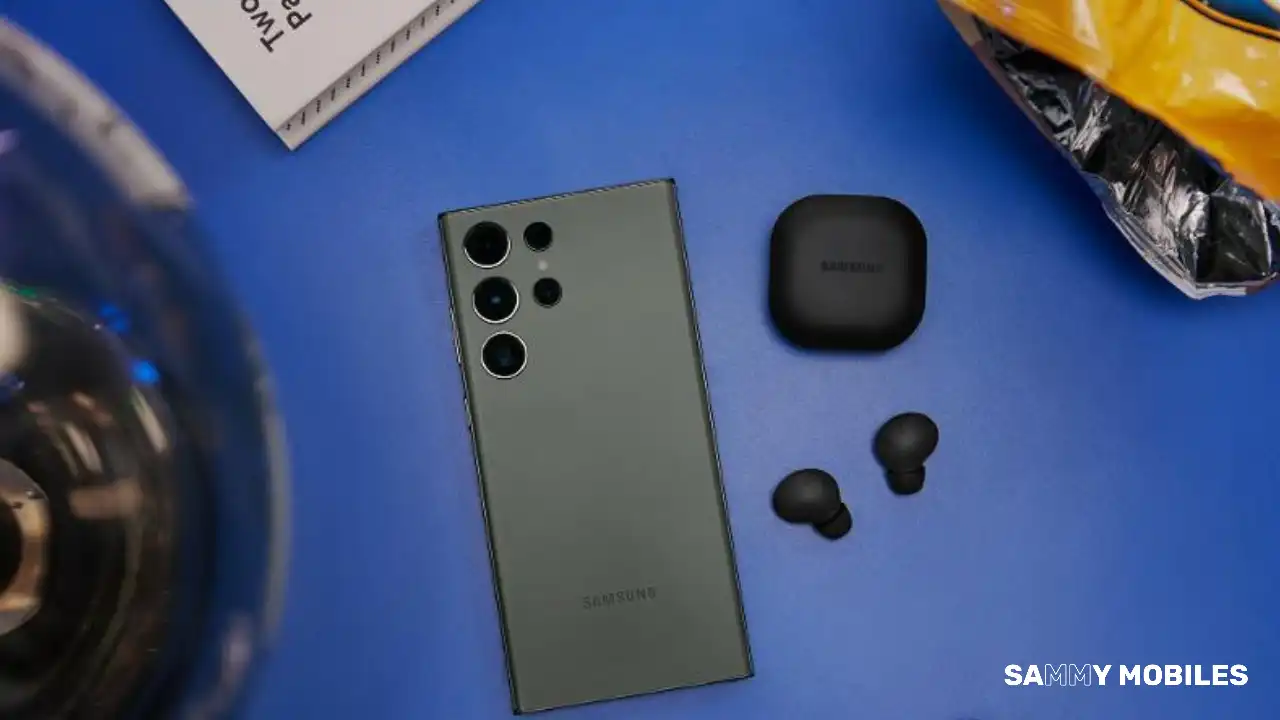
Samsung has pushed the October 2025 security update for the Galaxy S22, Galaxy S22 Plus, and Galaxy S22 Ultra smartphones. This update is already out for users of some Galaxy smartphones.
The October 2025 security update for the Samsung Galaxy S22 series is currently available for users in Southeast Asian markets. The company plans to expand the update to more regions soon.
Users of Samsung Galaxy S22, Galaxy S22 Plus, and Galaxy S22 Ultra are getting the fresh update with One UI build versions S901EXXUCGYJ1, S906EXXUCGYJ1, and S908EXXUCGYJ1, respectively.
This latest October 2025 patch enhances system security and stability, ultimately improving overall app performance. This update addresses several issues that users experienced with the previous version to ensure a smoother and more reliable device experience.
Users can follow the steps to check for the update:
- Open the Settings app on their device.
- Go to Software Update in the menu.
- Tap Download and Install to start the update process.
If an update is available for their device, users can proceed with the installation to ensure their device has the latest security improvements and features.
Galaxy S22 users are advised to stay updated to take advantage of these important improvements and fixes. As this update becomes available in more countries, users should monitor update notifications or regularly check for new updates manually.






Samsung’s latest Fan Edition tablets, the Galaxy Tab S10 FE and the Galaxy Tab S10 FE+, are happy as they receive the latest January 2026 security update. Notably, the firmware contains the newest safety improvements that will improve the tablet’s current health for a reliable experience.
According to the inputs, the Galaxy Tab S10 FE series tablet with model numbers SM-X520, SM-X526N, SM-X620, and SM-X626N is receiving the latest patch via the One UI versions X520XXS6BZA3, X526NKOS6BZA4, X620XXS6BZA3, and X626NKOS6BZA3, and a software package of 500MB. Though the firmware doesn’t weigh much, we suggest using a stable Wi-Fi connection for installation.
This update doesn’t add any significant new features to the device, aside from the January 2026 security patch. However, you can expect some underlying performance optimizations and fixes for glitches that could have negatively impacted the user experience.
It’s important to note that this update will not harm your personal data. However, it’s always a good idea to back up your data beforehand. Also, the update package will be automatically deleted after the installation is complete.
Samsung’s January 2026 security patch addresses 55 security vulnerabilities. Google helped fix one critical vulnerability and 20 high-risk issues found in Android. Samsung also added 30 additional security fixes specifically for Galaxy phones. These fixes address both critical and medium-level risks.

The Samsung Galaxy S26 series has started emerging in the leaks, and the latest one has shed light on the camera button of the upcoming 2026 flagship.
As mentioned by Android Authority, a former employee at a Samsung supplier revealed on LinkedIn that they contributed to an initiative developing a new camera button with swipe gesture functionality for the Samsung Galaxy S26.
This report states that Samsung is working on an Apple-style Camera Control button for the upcoming Galaxy S26 series. An Apple-style Camera Control button on iPhone models lets you quickly open your iPhone camera and access common camera settings.
We can now say that the Galaxy S26 series will be the first Samsung phones in years to feature a dedicated camera button.
For your information, the last Samsung phone with a dedicated camera button was probably the Galaxy K Zoom from 2014, which was essentially an Android-powered digital camera that could also make calls.
On the other hand, Samsung has not yet officially confirmed the Galaxy S26 lineup. However, according to reports, the company may unveil the Galaxy S26 series at a Samsung Unpacked event in February 2026. This upcoming series could be available in early March. Stay tuned for more information.

Samsung is preparing to release its next major software update, One UI 8.5, which is expected to arrive next month with the Galaxy S26 series. Testing of the initial beta builds of this update has already begun, and new information suggests that Samsung is planning a significant upgrade to Game Booster+ in One UI 8.5.
Game Booster+ is the tool that improves gaming performance and controls on Galaxy phones. According to information via Samsung Community, the One UI 8.5 update with Game Booster+ will bring many new features, including Gamepad Touch Mapping, CPU and GPU Settings, Fast-forward Game Intros, and more.
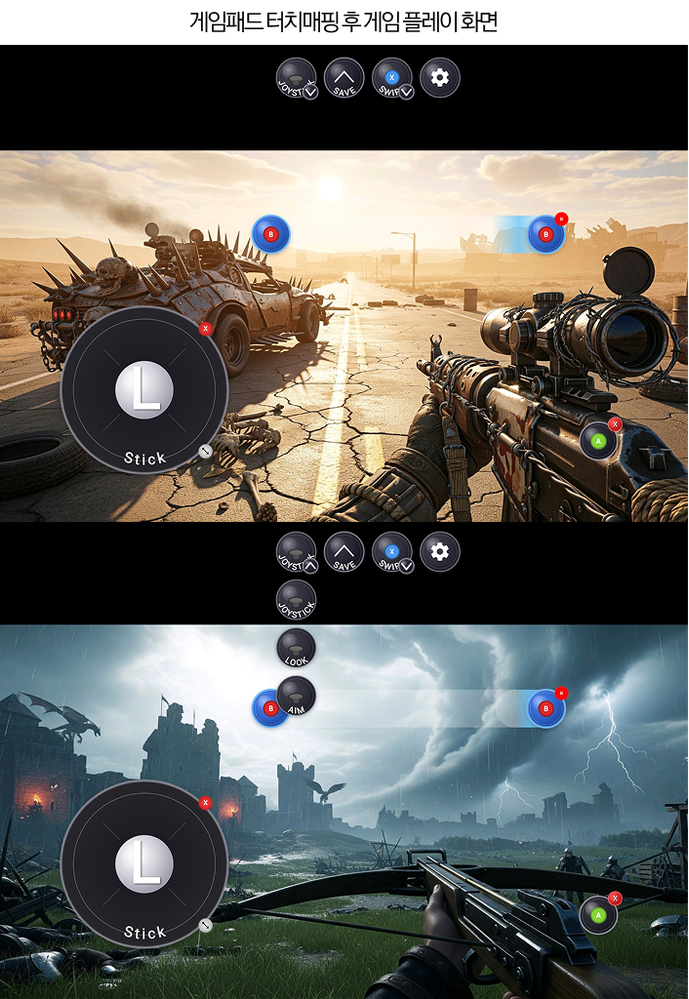
The Gamepad Touch Mapping is one of the biggest additions, which allows you to control even touch-only games with the pad.
Moreover, this upcoming Game Booster+ update will replace the “Turn on Game Booster GPU Settings” with CPU and GPU Settings. Gamers can tweak their CPU and GPU for game-specific performance optimization.
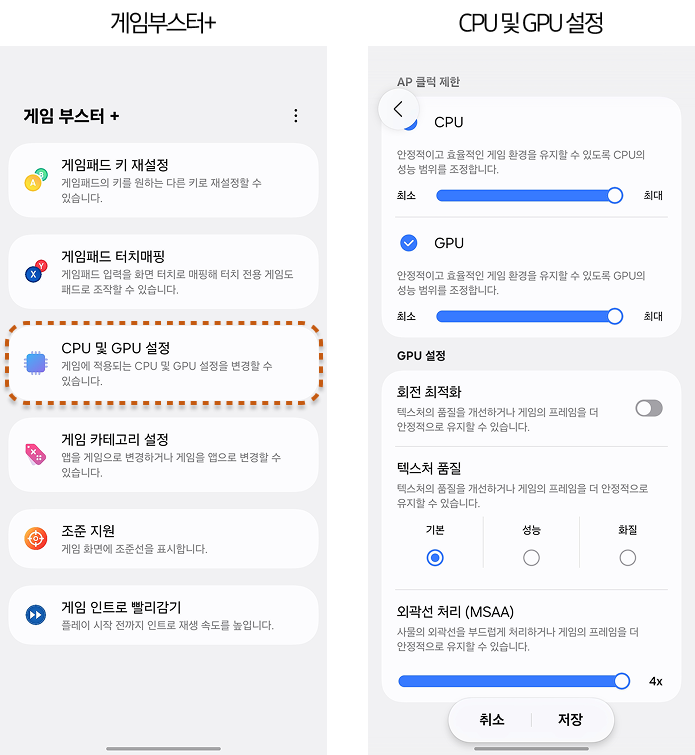
Last but not least, One UI 8.5 also brings the Fast-forward Game Intros videos option in the Game Booster+, which lets users play much faster, so players can start gaming almost right away.
Currently, these features are only available on Galaxy S25, Galaxy S25 Plus, and Galaxy S25 Ultra phones running One UI 8.5.
-

 NEWS1 year ago
About the Battery Health and performance of Galaxy S25
-
 NEWS1 year ago
Samsung Android 15 update: Which Galaxy devices will get One UI 7
-
 NEWS8 months ago
Join the One UI 8 Beta Program: Experience the latest One UI with Android 16
-

 NEWS12 months ago
Samsung Galaxy S25 Ultra battery and Charging test: Upgrade results
-
 NEWS1 year ago
More evidence suggests the Galaxy S25 Ultra may eventually adopt this Pixel security feature
-
 NEWS1 year ago
Galaxy S25 to integrate Bixby and AI into camera app
-
 ANDROID10 months ago
Samsung Galaxy phones and tablets that should receive Android 16 and One UI 8 update
-
 NEWS1 year ago
One UI 7 battery icon to show charge levels with dynamic colors