
UPDATES
March 2025 update available for Samsung Galaxy A54 in Korea [Europe too]

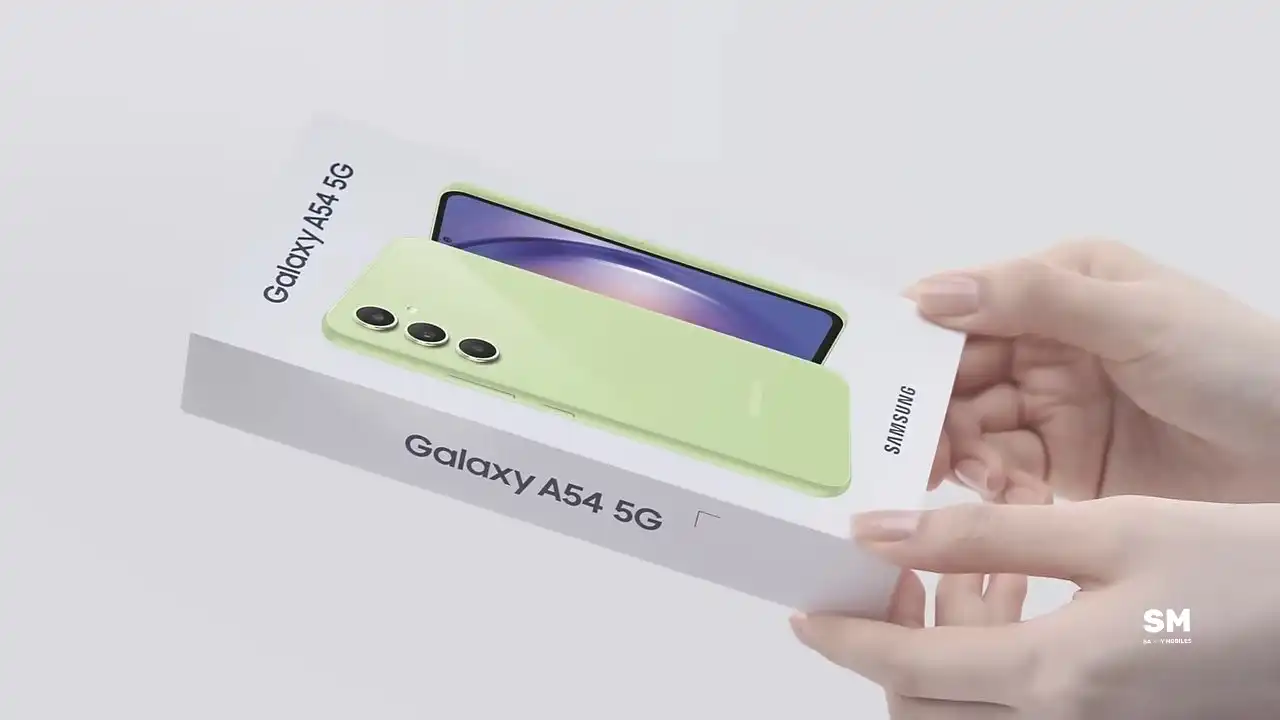
Samsung has expanded the March 2025 security update for the Galaxy A54 smartphone in Europe. You can verify the security update via One UI build version A546BXXSBCYB7. This update fixes over 58 vulnerabilities found in previous software versions.
March 13: Korea
Samsung has released the March 2025 security update for the Samsung Galaxy A54 5G smartphone. This update adds several new fixes and improves system stability as well as security. However, it also fixes some issues for better system performance.
The March 2025 update for Galaxy A54 smartphones running on One UI 6.1 enhances system security by fixing vulnerabilities found in the latest software system. Apart from this, the firmware does not contain any additional changes and optimizations made to the system.
According to the information, Samsung Galaxy A54 owners can identify the new update with One UI version A546SKSS8CYB6. At the moment, the rollout is spotted in the Korea and will soon expand to more users.
One thing to note: this update only includes security optimizations. But it will provide a satisfactory user experience. So users, don’t ignore the latest update and get it now!
Hence, we advise A54 users to install it immediately as soon as it arrives on your device. If you are eager to get it, don’t wait for the OTA notification and check for the update manually by heading to the Software Update section.
To check, go to the phone’s Settings menu, tap Software update. From here, tap Download and Install and wait while the phone checks for new updates. Once the update is found, tap the Install option.
As always, the update is being released in batches, and it may take a week or two to cover all users. Don’t panic and wait patiently. Also, have a good day.
With the March 2025 security patch, Samsung has fixed more than 55 CVEs found in the One UI system. Among them, 11 critical and 40 high-level CVEs are related to the system, and the remaining 7 CVEs were resolved in the One UI library.




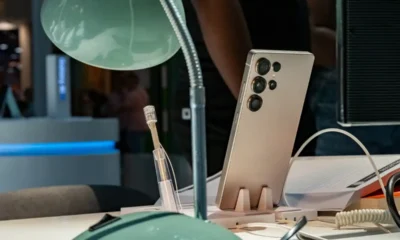


On February 25, Samsung launched the Galaxy S26 series, and these phones will be available starting March 11. Now, the Samsung Galaxy S26, Galaxy S26 Plus, and Galaxy S26 Ultra are receiving their first software update in the US.
Currently, this update is being rolled out to carrier-locked Galaxy S26 devices in the US. Samsung first released this update in South Korea, and subsequently extended its availability to Europe and India. This update brings significant improvements to the smartphones’ performance and reliability.
The first software update of the Samsung Galaxy S26 series in the US can be identified as version S941USQS1AZC7. Users will have to download a software package of 534.81MB.
This update improves the stability of the Galaxy S26 series and also includes the February 2026 security update. Users can expect more reliable battery performance, which is beneficial for extended usage and the overall lifespan of the device.
This update also installs a security patch to enhance system security. Although this update does not include any new features or changes, it still delivers improved and smoother performance.
Samsung advises Galaxy S26 series users to install this update to take full advantage of improved battery life and enhanced system stability. By keeping their devices updated, users can benefit from new features and improved security.
….
.If you purchase a new Galaxy S26 in the US, you can manually check for updates. Simply open Settings, go to Software Update, and tap on Download and Install. If an update is available for your device, it will begin downloading.
.

Samsung has released the February 2026 security update for four more Galaxy devices – the Galaxy Z Flip 7, Galaxy Z Flip 7 FE, Galaxy Z Fold 6, and Galaxy Z Flip 6. This update keeps your phone secure and running smoothly instead of adding new features or changing its look.
As always, this update improves the phone’s security and makes the system run more smoothly. This update fixes issues with the previous software version and helps make the device more stable. Samsung says this update is important because it protects users from security risks and keeps personal data safe.
Galaxy Z Flip 7 February 2026 update
Users of these devices can verify the latest update via the One UI build versions given below.
- Galaxy Z Flip 7: F766NKSS8AZB2
- Galaxy Z Flip 7 FE: F761NKSS8AZB2
- Galaxy Z Fold 6: F956NKSS3CZB2
- Galaxy Z Flip 6: F741NKSS3CZB2
.
Samsung usually rolls out updates gradually, so users in other markets should also receive the same update in a week or two.
To manually download the update, go to Settings >> Software Update >> Download and Install. Once the download is complete, tap Restart/Install Now to complete the installation. Make sure your phone is connected to a stable Wi-Fi network and has enough battery.
In addition to the security update, Samsung is also working on One UI 8.5. The beta version is currently available for the Galaxy S25 series in some regions, and Samsung has confirmed that the stable version will launch with the Galaxy S26 series tomorrow. Stay tuned for more details.


Samsung’s latest Fan Edition tablets, the Galaxy Tab S10 FE and the Galaxy Tab S10 FE+, are happy as they receive the latest January 2026 security update. Notably, the firmware contains the newest safety improvements that will improve the tablet’s current health for a reliable experience.
According to the inputs, the Galaxy Tab S10 FE series tablet with model numbers SM-X520, SM-X526N, SM-X620, and SM-X626N is receiving the latest patch via the One UI versions X520XXS6BZA3, X526NKOS6BZA4, X620XXS6BZA3, and X626NKOS6BZA3, and a software package of 500MB. Though the firmware doesn’t weigh much, we suggest using a stable Wi-Fi connection for installation.
This update doesn’t add any significant new features to the device, aside from the January 2026 security patch. However, you can expect some underlying performance optimizations and fixes for glitches that could have negatively impacted the user experience.
It’s important to note that this update will not harm your personal data. However, it’s always a good idea to back up your data beforehand. Also, the update package will be automatically deleted after the installation is complete.
Samsung’s January 2026 security patch addresses 55 security vulnerabilities. Google helped fix one critical vulnerability and 20 high-risk issues found in Android. Samsung also added 30 additional security fixes specifically for Galaxy phones. These fixes address both critical and medium-level risks.
-

 NEWS2 years ago
About the Battery Health and performance of Galaxy S25
-
 NEWS2 years ago
Samsung Android 15 update: Which Galaxy devices will get One UI 7
-
 NEWS1 year ago
Join the One UI 8 Beta Program: Experience the latest One UI with Android 16
-
 NEWS2 years ago
More evidence suggests the Galaxy S25 Ultra may eventually adopt this Pixel security feature
-
 ANDROID1 year ago
Samsung Galaxy phones and tablets that should receive Android 16 and One UI 8 update
-

 NEWS2 years ago
Samsung Galaxy S25 Ultra battery and Charging test: Upgrade results
-
 NEWS2 years ago
Galaxy S25 to integrate Bixby and AI into camera app
-
 NEWS2 years ago
One UI 7 battery icon to show charge levels with dynamic colors