
NEWS
One UI 6 Watch Tips: How to use Sleep apnea feature on Galaxy Watch


With the launch of the Galaxy Watch 7 series and Galaxy Watch Ultra, Samsung introduced the latest One UI 6 Watch custom skin with lots of new features and functions, and customization options. Now, the Korech tech giant expanding the One UI 6 Watch update to the older Galaxy Watch with lots of new features one of which is the Sleep apnea feature.
One UI 6 Watch Sleep apnea feature
One UI 6 Watch Sleep apnea feature is developed to help evaluate your sleep health. This feature helps more users recognize potential symptoms of moderate to severe sleep apnea in advance.
Here in this article, we will see how you can enable the Sleep apnea feature on your Galaxy Watch on your connected Galaxy phone and track your sleep metrics. If you have the Galaxy Watch running One UI 6 Watch update, you can try this feature by following the given steps.
How to use Sleep apnea features on your Galaxy Watch
- Firstly, open the Samsung Health Monitor app on your connected phone, and click on the Sleep apnea tab at the bottom of the screen.
- Note: if you don’t see the app on your smartphone, first launch it on your watch.
- Tap the switch for the Sleep apnea feature.
- Read the precautions listed on the pop-up window > select Continue.

How to check sleep metrics of Sleep apnea feature
Make sure to wear your Galaxy Watch while sleeping and make sure you’re on the Sleep apnea tab. When you take it up, launch the Samsung Health app again to see your sleep results in the tab. You can also check your recorded sleep history as well by tapping on View History.

Once these actions are completed, you may try the Sleep apnea feature using your Galaxy Watch or Galaxy mobile device.
Notes:
- The Sleep apnea feature requires a Galaxy Watch running Wear OS 5.0 or later, paired with a phone with Android 9 or later.
- The feature may not be available in all countries.
- Samsung recommends not using this feature if you are pregnant, or have temporary symptoms of breathing difficulties due to flu, asthma, allergies, or another condition, as results may be inaccurate.
Sleep apnea feature compatible Galaxy Watch
- Galaxy Watch 7
- Galaxy Watch Ultra
- Galaxy Watch6
- Galaxy Watch6 Classic
- Galaxy Watch5
- Galaxy Watch5 Pro
- Galaxy Watch4
- Galaxy Watch4 Classic
- Galaxy Watch FE


Samsung recently shared its revised software update plan for July 2025. Through this updated plan, Samsung has confirmed that three Galaxy devices, the Galaxy Tab S7 FE, Galaxy F52 5G, and Galaxy A22 5G are no longer eligible for software updates.
Now, Galaxy Tab S7 FE, Galaxy F52 5G, and Galaxy A22 5G have been removed from the Biannual plan in July 2025. It means that Galaxy Tab S7 FE, Galaxy F52 5G, and Galaxy A22 5G devices will no longer receive software updates as they have completed their update cycle.
The Galaxy Tab S7 FE, Galaxy F52 5G, and Galaxy A22 5G were released in 2021. Since then, these three Galaxy devices have received three major Android updates, along with regular security patches. Now, after several years of support, Samsung is officially ending updates for these Galaxy devices.
So, what does this mean for these phone and tablet users? First, don’t worry, because your tablet will still work. Even though the Korean tech giant will no longer send out new Android versions or monthly security updates, your device will still receive Google Play system updates. These updates help keep your Galaxy device secure and let you continue using important apps like banking, social media, and video streaming.
If you want the newest features and latest Android updates, you might want to upgrade to a newer Galaxy phone and tablet. You can check tablets from the Galaxy Tab A10 series, the Tab S9 series, or the Galaxy A56 5G. These new Galaxy devices offer better performance, new features, and longer support.
However, if your current devices are working well and you’re happy with them, there’s no need to upgrade right away. The Galaxy Tab S7 FE, Galaxy F52 5G, and Galaxy A22 5G can still handle basic tasks like browsing the web, watching videos, or using social media.

Samsung has announced the July 2025 security patch for its Galaxy devices on the first Monday of the month. However, Samsung fans are still waiting for the latest security update apart from the One UI 8 stable update.
Samsung July 2025 security patch
The July 2025 security patch from Samsung addresses 1 critical and 21 high levels of CVEs for the Android operating system. However, one CVE was resolved by previous updates from the company, and 1 is not relevant to Galaxy devices.
In addition to the Google patch, Samsung provides 9 SVE items to improve the user experience. The latest security patch fixes various issues related to System UI, Samsung Account, and Framework for Galaxy Watch, Wi-Fi password for Galaxy Tablet, LeAudioService, Emergency SOS, KnoxVault trustlet, and more.
Android Patch Details:
The latest security update is based on the Android Security Bulletin – July 2025, which includes patches for 22 issues identified by Google.
Critical
CVE-2025-21450
High
CVE-2024-53010, CVE-2025-0819, CVE-2025-26433, CVE-2025-26454, CVE-2025-32321, CVE-2025-22436, CVE-2023-24023, CVE-2024-49714, CVE-2025-32325, CVE-2025-32326, CVE-2025-32331, CVE-2025-32330, CVE-2025-21449, CVE-2025-21446, CVE-2025-21433, CVE-2025-27052, CVE-2025-27057, CVE-2025-27042, CVE-2025-27056, CVE-2025-27043, CVE-2025-27061
Moderate
None
Already included in previous updates
CVE-2025-21454
Not applicable to Samsung devices
CVE-2025-21427
Samsung Galaxy Patch Details
Samsung also addressed 9 issues specific to its devices, such as
- SVE-2024-2304(CVE-2025-20983, CVE-2025-20982): Out-of-bounds write in KnoxVault trustlet
- SVE-2024-2335(CVE-2025-21004): Improper verification of intent by broadcast receiver in SystemUI for Galaxy Watch
- SVE-2025-0047(CVE-2025-20997): Incorrect default permission in Framework for Galaxy Watch.
- SVE-2025-0123(CVE-2025-20998): Improper access control in SamsungAccount for Galaxy Watch
- SVE-2025-0348(CVE-2025-20999): Improper authorization in accessing saved Wi-Fi password for Galaxy Tablet
- SVE-2025-0664(CVE-2025-21000): Improper privilege management in Bluetooth
- SVE-2025-0675(CVE-2025-21001): Improper access control in LeAudioService
- SVE-2025-0676(CVE-2025-21002): Improper access control in LeAudioService
- SVE-2025-0710(CVE-2025-21003): Insecure storage of sensitive information in Emergency SOS
..
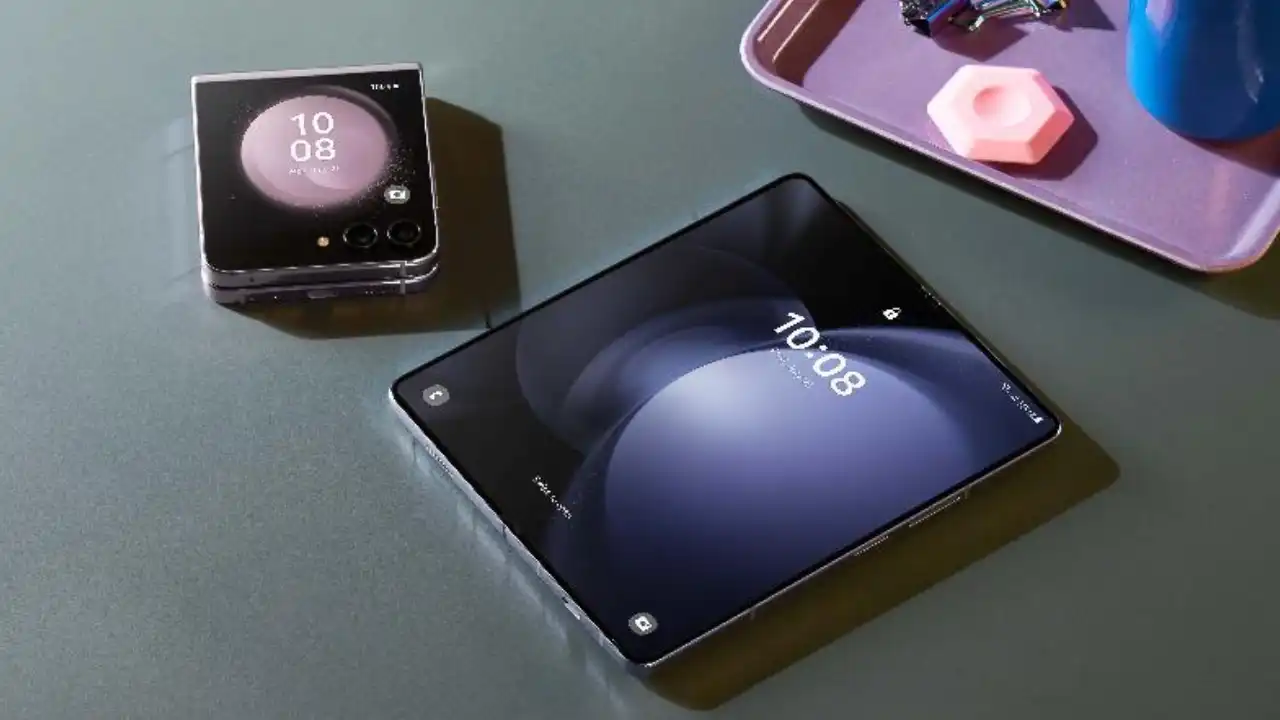
Samsung has started testing Android 16-based One UI 8 on the Galaxy Z Fold 5. This big result shows that the Korean tech giant is considering the 2023 foldable, which could also be included in the Open Beta program this year.
After Galaxy S and A series devices, Samsung’s Android 16 optimization for Galaxy devices is in full swing, with foldable models not being added to the testing zone.
A reliable tipster, @Tarunvats has spotted a new One UI 8 build for the Galaxy Z Fold 5 on the testing platform. The testing build, F946BXXU5FYG2, hints that Samsung is actively working on One UI 8 for the Galaxy Z Fold 5.
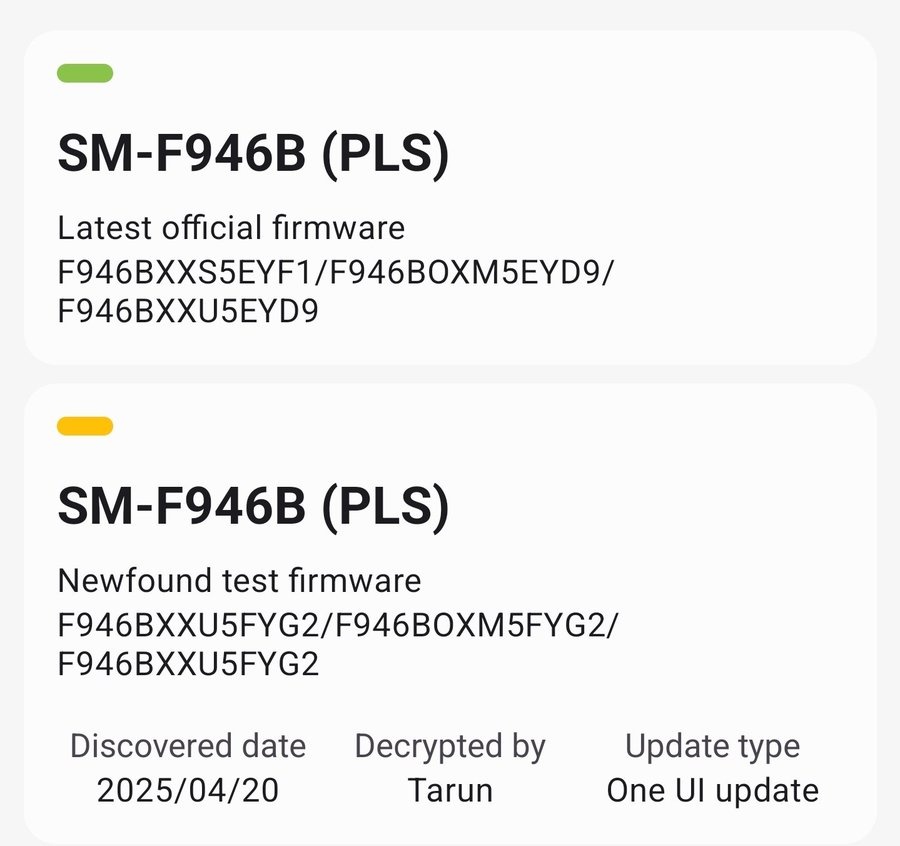
Notably, last month, a carrier-locked variant (SM-F946U) of the Galaxy Z Fold 5 for the US was spotted on Geekbench running Samsung’s Android 16-based One UI 8.0.
The One UI 8 update will bring meaningful changes to the UI. The company is also working on redesigning apps and core functionality to further improve the appearance and foundation laid by the Android 15-based One UI 7 update.
-
 NEWS1 month ago
Join the One UI 8 Beta Program: Experience the latest One UI with Android 16
-

 NEWS5 months ago
About the Battery Health and performance of Galaxy S25
-
 NEWS5 months ago
Samsung Android 15 update: Which Galaxy devices will get One UI 7
-
 ANDROID3 months ago
Samsung Galaxy phones and tablets that should receive Android 16 and One UI 8 update
-

 NEWS6 months ago
Samsung Galaxy S25 series India price details leaked
-
 NEWS6 months ago
One UI 7 battery icon to show charge levels with dynamic colors
-
 NEWS6 months ago
Galaxy S25 to integrate Bixby and AI into camera app
-

 NEWS5 months ago
How to customize your Samsung One UI 7 app icons